# Alerts & Notifications
Get notified when your orders fill, your markets move, or a trader you follow trades.
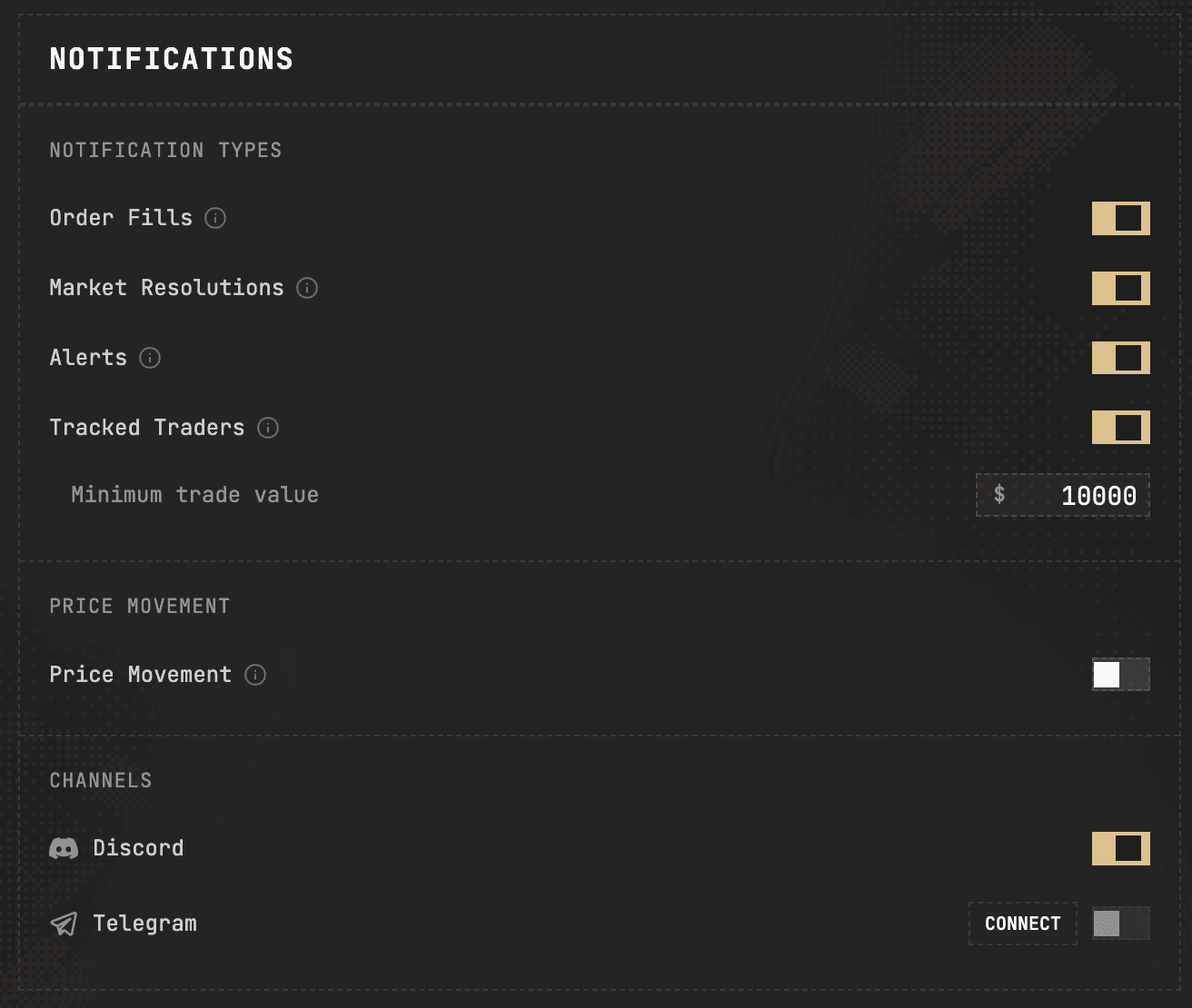
Parity can push activity to you rather than making you watch the screen. Everything here is configured in **Settings -> Notifications**.
## Channels
Alongside in-app notifications you can connect:
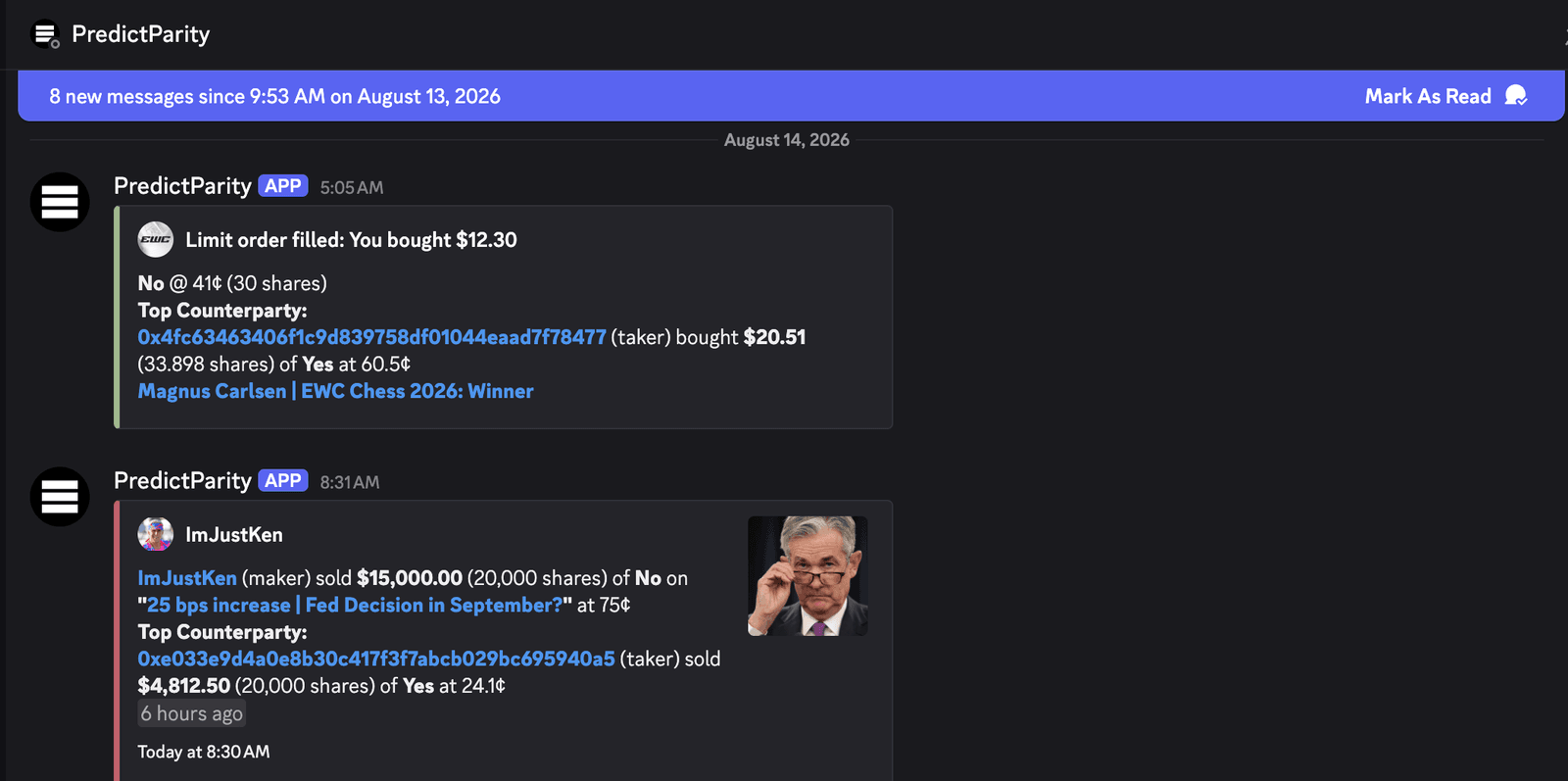
* **Discord**
* **Telegram**
Connect either from **Settings -> Notifications**. Each notification type can then be routed to the channels you have connected.
## What you can be notified about
**Order Fills** - when one of your limit orders fills.
**Market Resolutions** - when a market you hold a position in resolves.
**Market Moves** - when a market's price moves past a threshold you set.
**Portfolio Movements** - when your portfolio value changes by more than a threshold you set.
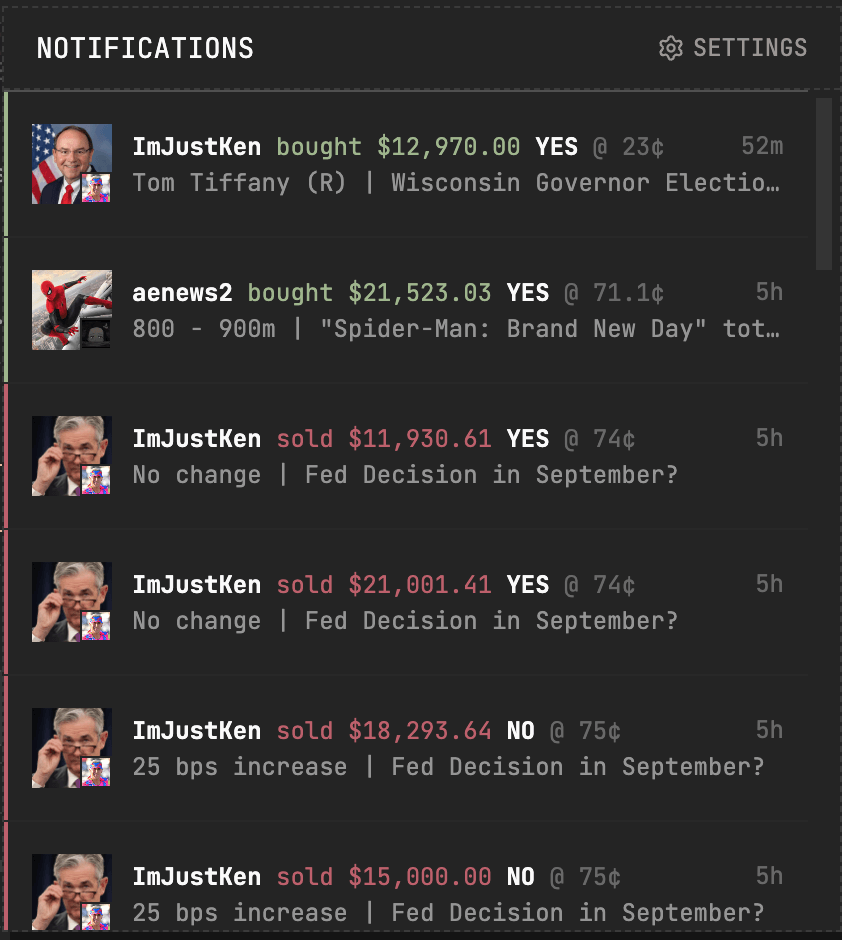
**Tracked Traders** - when a trader you follow trades, with a minimum trade value so you only hear about the size you care about.
**Price Movement** - price swings past a minimum movement you set.
## Price alerts on a single market
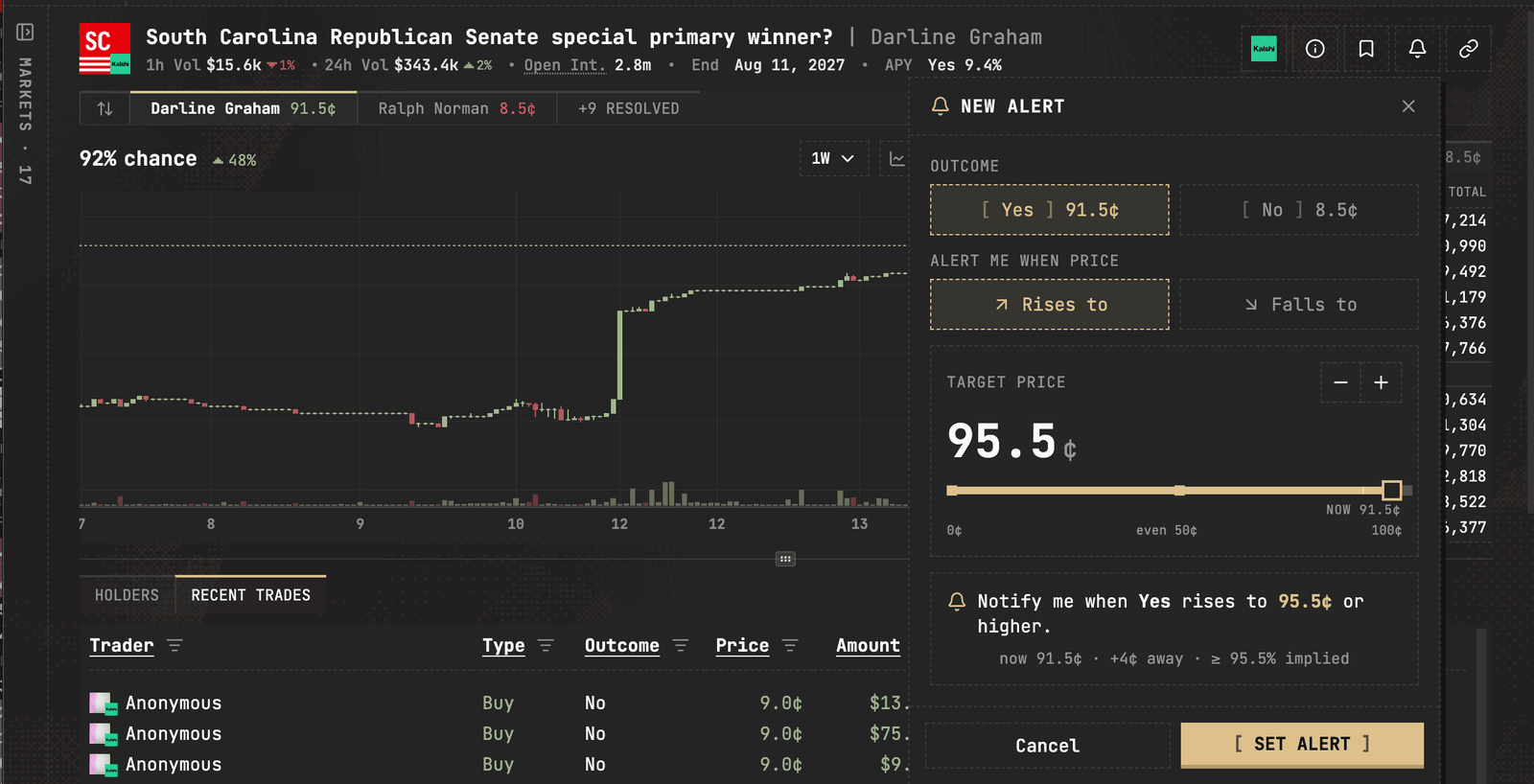
Separately from the notification types above, you can set a price alert on an individual market from its market page. Your alerts are listed in **Portfolio -> Price Alerts**, where they can be edited or removed.
Source: https://predictparity.com/docs/features/alerts-and-notifications